
Google Search Console (GSC) is one of the most powerful free SEO tools available. It helps website owners monitor search performance, identify technical SEO issues, and ensure that Google can properly crawl and index their websites.
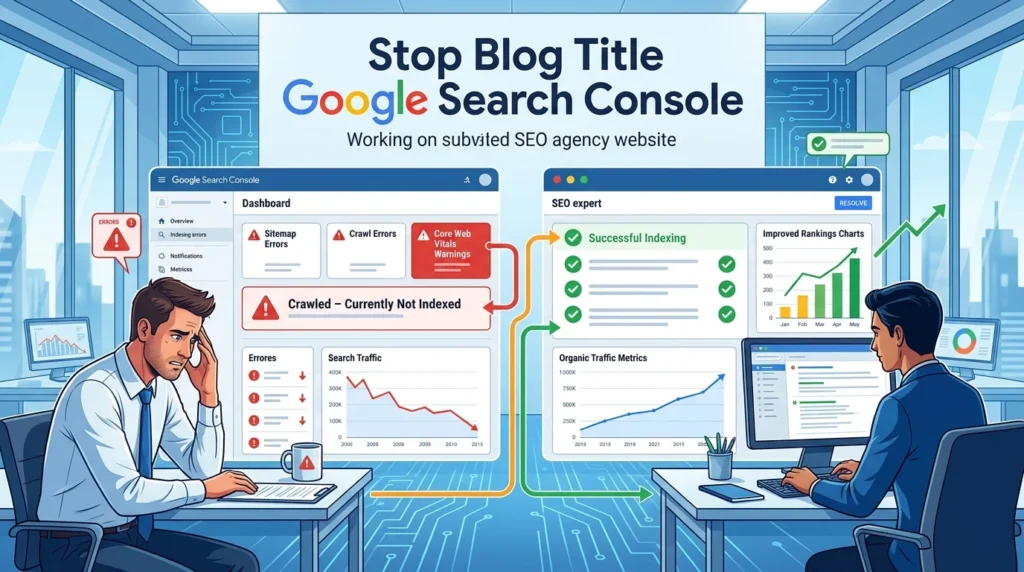
However, many website owners face recurring problems inside Google Search Console that can negatively impact rankings, traffic, and visibility. Understanding these issues and fixing them quickly is essential for maintaining a healthy website.
In this guide, we’ll explore the most common Google Search Console problems and explain how to solve them effectively.
Why Google Search Console Matters
Google Search Console provides valuable insights into:
- Website indexing status
- Search performance
- Crawl errors
- Mobile usability
- Core Web Vitals
- Sitemap processing
- Security issues
Without monitoring GSC regularly, important SEO problems can go unnoticed for months.
1. Pages Not Indexed
One of the most common complaints from website owners is:
“My pages are published but not appearing in Google search results.”
Common Causes
- New pages haven’t been crawled yet
- Noindex tags present
- Poor internal linking
- Thin or duplicate content
- Crawl budget limitations
- Technical errors
How to Fix It
- Open Google Search Console
- Use URL Inspection Tool
- Check indexing status
- Request indexing manually
- Improve internal links
- Add pages to XML sitemap
Best Practice
Ensure every important page has unique content and at least one internal link pointing to it.
2. Crawled – Currently Not Indexed
This status confuses many SEO professionals.
What It Means
Google has visited your page but decided not to add it to the index.
Common Reasons
- Low-quality content
- Duplicate information
- Weak topical relevance
- Thin pages
- Limited user value
Solution
- Expand content depth
- Add original insights
- Improve page structure
- Include relevant images
- Strengthen internal linking
The goal is to give Google a stronger reason to index the page.
3. Discovered – Currently Not Indexed
What It Means
Google knows about the page but hasn’t crawled it yet.
Possible Causes
- Large website
- Crawl budget issues
- Weak internal linking
- Server performance problems
How to Fix
- Improve site speed
- Reduce unnecessary URLs
- Strengthen internal links
- Submit updated sitemap
- Build authority through backlinks
4. Sitemap Errors
XML sitemaps help search engines discover content efficiently.
Common Sitemap Problems
- Sitemap cannot be fetched
- Incorrect URLs
- Broken links
- Non-indexable pages included
- Old URLs remaining in sitemap
Solution
- Regenerate sitemap
- Remove broken URLs
- Ensure all URLs return 200 status
- Submit sitemap again
Recommended Sitemap Structure
https://yourwebsite.com/sitemap.xmlKeep your sitemap updated whenever new content is published.
5. Duplicate Without User-Selected Canonical
What It Means
Google believes multiple versions of the same page exist.
Examples
- HTTP and HTTPS versions
- URL parameters
- Category duplicates
- Pagination issues
Fix
Implement proper canonical tags:
<link rel="canonical" href="https://yourwebsite.com/page-url/" />This tells Google which version should be indexed.
6. Page With Redirect
What It Means
The submitted URL redirects somewhere else.
Why It Happens
- Old pages redirected
- URL structure changes
- HTTP to HTTPS redirects
Solution
Remove redirected URLs from:
- XML sitemap
- Internal links
- Navigation menus
Only final destination URLs should appear in your sitemap.
7. Mobile Usability Issues
Since Google uses mobile-first indexing, mobile problems can impact rankings.
Common Mobile Errors
- Text too small
- Clickable elements too close
- Content wider than screen
- Poor responsive design
How to Fix
- Use responsive layouts
- Optimize font sizes
- Improve spacing
- Test pages on multiple devices
8. Core Web Vitals Failures
Core Web Vitals are important ranking signals.
Main Metrics
- Largest Contentful Paint (LCP)
- Interaction to Next Paint (INP)
- Cumulative Layout Shift (CLS)
Common Causes
- Large images
- Slow hosting
- Excessive JavaScript
- Poor caching
Solutions
- Compress images
- Enable caching
- Use CDN services
- Minify CSS and JavaScript
- Upgrade hosting if necessary
9. Soft 404 Errors
What Is a Soft 404?
A page exists but provides little or no useful content.
Examples
- Empty product pages
- Thin category pages
- Placeholder pages
Fix
Either:
- Add valuable content
- Redirect to a relevant page
- Return proper 404 status if page is unnecessary
10. Submitted URL Marked ‘Noindex’
What It Means
The page is in your sitemap but contains a noindex directive.
Common Causes
- SEO plugin settings
- Development environment leftovers
- Manual noindex tags
Fix
Check page source for:
<meta name="robots" content="noindex">Remove the tag if the page should be indexed.
11. Server Errors (5xx)
Why They Occur
- Hosting outages
- Resource limitations
- Database problems
- Plugin conflicts
Solutions
- Check hosting logs
- Upgrade server resources
- Optimize database
- Remove problematic plugins
Server errors prevent Google from crawling your website properly.
12. Security Issues and Manual Actions
Google may issue warnings for:
- Malware
- Hacked pages
- Spam content
- Unnatural backlinks
Recovery Steps
- Identify affected pages
- Remove malicious content
- Secure website access
- Request review from Google
Ignoring these warnings can severely impact rankings.
13. Sudden Drop in Clicks and Impressions
Common Reasons
- Google algorithm updates
- Lost backlinks
- Increased competition
- Technical SEO issues
- De-indexed pages
Investigation Process
Review:
- Search Performance report
- Indexing report
- Core Web Vitals
- Manual actions
- Recent website changes
Look for patterns before making major SEO adjustments.
Best Practices for Google Search Console
To keep your website healthy:
✅ Check Search Console weekly
✅ Submit updated XML sitemaps
✅ Monitor indexing reports
✅ Fix crawl errors quickly
✅ Review Core Web Vitals monthly
✅ Improve internal linking regularly
✅ Inspect important URLs after publishing
Consistent monitoring helps prevent small issues from becoming major ranking problems.
Conclusion
Google Search Console is not just a reporting tool—it is an essential SEO monitoring platform. Problems such as indexing errors, sitemap issues, duplicate content, mobile usability concerns, and Core Web Vitals failures can all impact your organic traffic if left unresolved.
By regularly reviewing Search Console reports and addressing issues promptly, website owners can improve crawlability, enhance user experience, and increase their chances of achieving higher rankings in Google search results.